



 Translate
 Feedback
 Start Over
Translate Again
Start Over
Translate Again
 Download
Image Translator
Use Prepostseo image translator to translate image text quickly. It is an online tool designed to help you effortlessly translate the text embedded in photos into the desired language. It uses advanced OCR (Optical Character Recognition) technology to precisely recognize text in your images and then translate it without disturbing the layout or format.
This photo translator welcomes students, professionals, researchers, data entry workers, and others to perfectly translate images of documents, books, papers, and signboards.
How to Use our Photo Translator?
Follow these steps to translate your image text with our online photo translator tool;
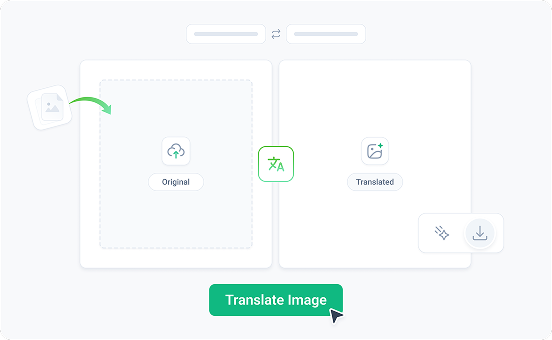
Upload, drag & drop, or paste your image URL into the input box.
Select the “Language” you want your photo translated into.
Now, click the “Translate Image” button.
- After translation, you can save the translated image.
Why Choose the Prepostseo Image Translator?
The Prepostseo photo translator offers a wide range of beneficial features that make it a reliable choice.

Highly Accurate
It uses advanced working OCR algorithms to ensure highly accurate text translation from even blurred and complex images. It also preserves the layout, font, or size of the image text.

One Click Image Translation
Say goodbye to the manual hassles of changing image text into desired languages! Our picture translator offers one-click image translation, allowing users to translate text accurately.

Compatible Across Various Devices
This photo translator is compatible with a wide range of devices and operating systems, including Android, iOS, Mac, Windows, and more. So with our tool, you can translate pictures on any device.

User-Friendly UI
The user-friendly interface is another reason to choose this online image translator. Anyone can seamlessly navigate the simplistic design without needing technical skills.

Supports Various Image Formats:
With this picture text translator, you can translate different types of images, such as PNGs, WebPs, JPEGs, JPGs, and more.

Offers Different Languages
The prepostseo photo translator offers a wide range of languages, including popular ones: English, Arabic, Spanish, Japanese, Chinese, Korean, German, and more.
Who Can Use Prepostseo Image Translator?
Our photo translator can help many types of users. Below, we list some prominent users of the image translator;
Business Professionals
The image translator is useful for business professionals in several scenarios. It can help them effortlessly translate product advertisements, marketing materials, presentations, and business cards to read a global audience.
Travelers
Travelers can use this tool to translate different things in foreign countries, such as restaurant menus, road signs, documents, and other written materials. They just need to open the photo translator, point the camera at text in a foreign language, and get it translated into their native language.
Researchers
Researchers can use our image translator online to overcome language barriers. The tool helps to translate cultural studies, historical records, and other research materials into the desired language easily.
Students and Educators
Students and teachers can also use this tool to translate educational and learning materials written in other languages and understand them.
Language Learners
Our picture translator online is helpful for language learners to improve their vocabulary and practice words in different contexts, such as on books, signboards, menus, etc.
Supports 20+ Languages
Here is a brief explanation of each paraphrasing mode.
 English
 Русский
 Arabic
 Português
 Spanish
Frequently Asked Questions (FAQs)
How can I translate text from an image?

Simply upload your image to our picture translator and click the “Translate Image” button to start. In a few seconds, you’ll get the translated text from your image, which you can download and use anywhere.
Do I need to install additional software?
No, you don’t need to install any additional software. You only need a stable internet connection to translate a picture text.
Does it translate handwriting on pictures?
Which translator is 100% accurate?

We would love to hear from you! How was your experience with Prepostseo?
Thanks for submitting your feedback! We really appreciate your time.
If you need any help, please Contact Us.


or Sign In with email
Don’t have an account? Sign up now
By clicking "Continue with Google", you agree to Terms of Service, Privacy Policy and Refund Policy
or Sign Up with email
Already have an account? Login Now
By clicking "Continue with Google", you agree to Terms of Service, Privacy Policy and Refund Policy

No results for


